
Expenses
Expenses records the money that goes out without goods coming in — rent, fuel, wages, fees. Together with your purchases and sales they complete the financial picture: Profits and Losses shows an Expenses column and a Net Profit (sales minus purchases minus expenses), and the Cash Book lists them among the payments — reports reference.
The screen
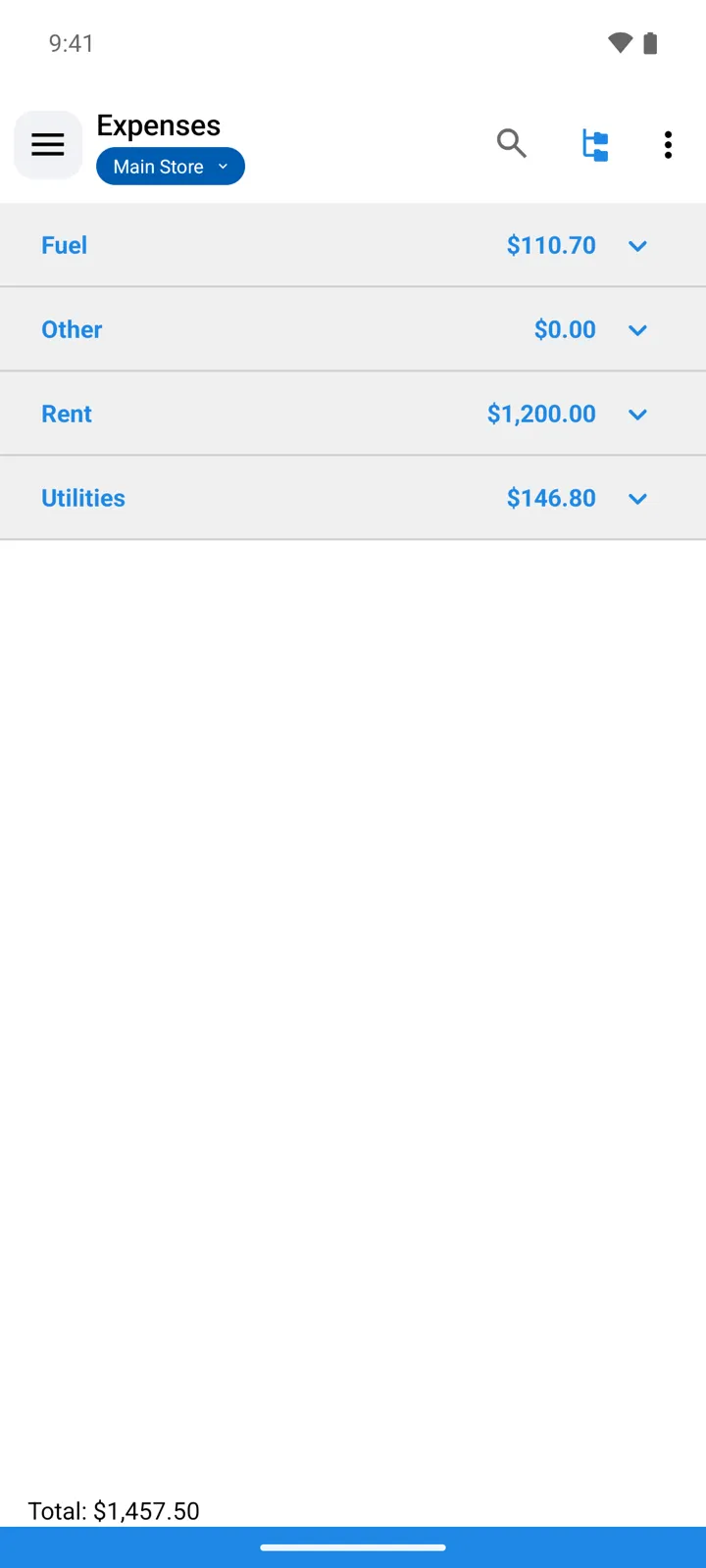
Section titled “The screen”- The list groups expenses by Category — or shows them flat; switch with List style in the toolbar.
- Search and Sort by work as everywhere; the Filters sheet narrows the list by Period and text.
- The footer keeps a running Total for what the list currently shows.
- An expense belongs to a store — or to - All Stores - when it’s a company-wide cost (rent for the head office, accounting fees) that no single store should carry. In a single-store view you see that store’s expenses only; switch to - All Stores - to see everything, each row named with its store (company-wide rows read ”- All Stores -”).
Adding an expense
Section titled “Adding an expense”The + button opens Adding expenses — in form order:
| Field | What it does |
|---|---|
| Date and the amount | When and how much. |
| Category | Tap to pick from Categories — the same screen manages them (add, rename). |
| Name | What the money went on. |
| Store | The store that carries the cost — defaults to the working store. Pick - All Stores - for a cost that belongs to the whole company. |
| Attachments | Keep the receipt or invoice with the expense. |
Categories
Section titled “Categories”Categories are yours to define — Rent, Transport, Salaries — and the Expenses report totals spending per category. A category that still has expenses in it can’t be deleted: “There are expenses belonging to this category. Deletion impossible!”